Microsoft is rolling out a significant security enhancement to the Microsoft Authenticator app to better protect work or school accounts (Microsoft Entra ID credentials). Starting in February 2026, the app will introduce jailbreak and root detection for iOS and Android devices.
This change is designed to prevent potential security risks associated with modified (jailbroken or rooted) devices, where attackers could more easily access sensitive authentication data.
Why This Change Matters
Jailbroken iOS devices and rooted Android devices bypass built-in security protections, making them more vulnerable to malware, unauthorized access, and credential theft. By detecting these modifications, Microsoft Authenticator will help ensure that Entra ID credentials remain secure and are not exposed on compromised devices.
What Will Happen?
The update will roll out gradually in three phases between February 2026 and April 2026:
1. Warning Mode (Initial Phase)
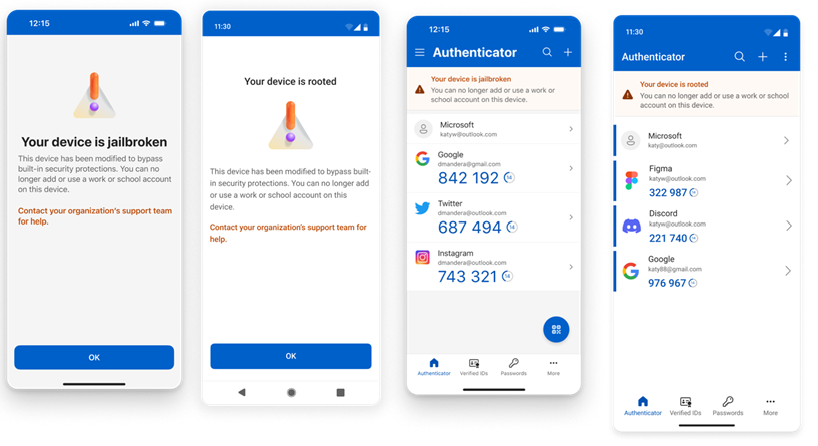
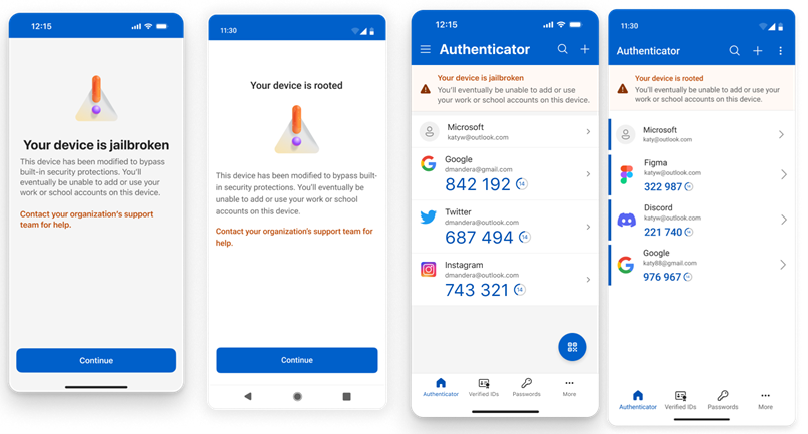
Users on jailbroken or rooted devices will receive in-app warnings when adding or using work/school accounts. This gives them time to act, such as removing the jailbreak/root or switching to a secure device.
2. Blocking Mode
If the device remains modified after the warning period, the app will block access to Entra ID credentials. Users will not be able to authenticate or use the app for work/school accounts on that device.
3. Wipe Mode (Final Phase)
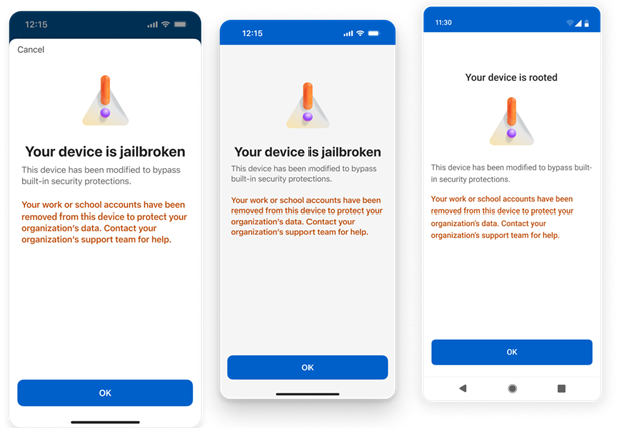
Existing Entra ID credentials will be automatically wiped from the app on jailbroken/rooted devices to eliminate any risk of exposure.
However, personal Microsoft accounts (e.g., Outlook.com, Hotmail) are not affected by this change.
How to Prepare
- Check your device: Ensure your iOS device is not jailbroken, or your Android device is not rooted if you use Microsoft Authenticator for work or school accounts.
- Update the app: Keep Microsoft Authenticator updated to the latest version for the smoothest rollout.
- Switch devices if needed: If your primary device is modified, consider using a standard, unmodified device for authentication.
- Communicate with users: If you are an IT admin, inform your organization about this upcoming change via email or internal channels.
This update strengthens overall security for Microsoft Entra ID authentication without affecting users on standard devices.
For more details, check the official Microsoft documentation:
Final Words
Communication with the users is the key. Stay secure and keep your devices updated!
Feel free to connect with our cyber security services experts for any queries regarding this.