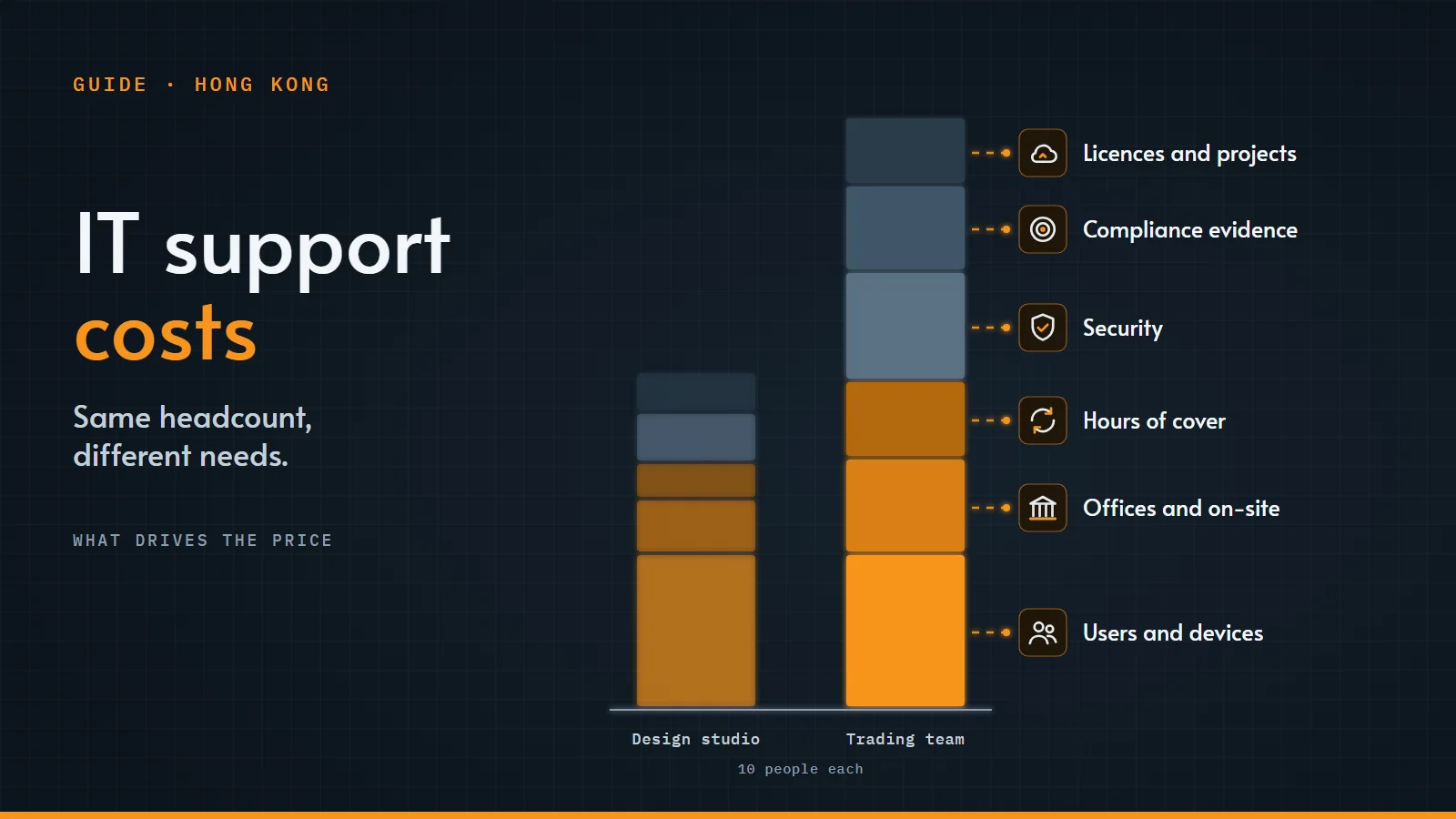
"How much does IT support cost?" is one of the first questions a growing business asks, and the honest answer is: it depends. Two firms with the same number of staff can need very different levels of support. A ten-person trading team that relies on market data and must keep records for its regulator needs more than a ten-person design studio.
Rather than quote figures that may not fit your situation, this guide explains what actually drives the price, so you can compare quotes on a like-for-like basis and avoid surprises later.
How IT support is usually priced
Most providers in Hong Kong use one of these models, or a mix:
- Per user, per month. A fixed monthly fee for each person supported, usually covering their devices, email and everyday help. Easy to budget, and it grows with your team.
- Per device, per month. A fee for each computer, server or network device managed. Common where many people share equipment.
- A fixed monthly managed service. One fee for an agreed scope: service desk, monitoring, patching, backups and on-site visits.
- Blocks of hours. You buy a set number of support hours in advance and use them as needed. Suits firms with an in-house person who needs back-up now and then.
- Pay as you go. Hourly rates for ad hoc work. Simple, but the hardest to budget and usually the most expensive per hour.
- Project fees. One-off work such as a new office, a move to Microsoft 365 or a server replacement, usually quoted separately from monthly support.
What makes the price go up or down
- How many people and devices. The biggest single factor. Laptops, phones, servers, firewalls and printers all need looking after.
- How many offices. Each site has its own network, internet lines and equipment, and may need visits.
- On-site needs. Remote support costs less than engineers on site. Trading floors, meeting rooms and server rooms often need someone in person.
- Hours of cover and response times. Support during business hours costs less than extended hours. Faster guaranteed response and fix times cost more.
- Security. Basic antivirus and backups cost less than 24/7 security monitoring, threat detection and response, phishing tests and penetration tests. Higher-risk businesses usually need the second.
- Compliance. Firms regulated by the SFC or MAS need records and evidence for their controls: access reviews, patch reports, backup tests and incident plans. Producing and keeping that evidence takes work.
- How complex your systems are. Market data and trading platforms, call recording, on-premises servers and custom applications all add to the work.
- The state of your IT today. Old equipment, missing documentation or no backups mean extra work at the start, often quoted as a one-off onboarding project.
What is often not in the monthly fee
Check what a quote leaves out. Common extras are:
- Licences, such as Microsoft 365, security software and backup storage, often billed separately at cost or with a margin.
- Hardware such as laptops, screens, firewalls and servers.
- Projects such as office moves, migrations and new systems.
- Onboarding: the first audit, documentation and clean-up.
- Work outside the agreed scope or hours, and how it is charged.
In-house IT or outsourced?
An in-house IT person knows your business and is in the office every day. The cost is more than a salary, though: MPF contributions, recruitment, training, tools, and cover for holidays and sick leave. One person also cannot be an expert in everything from Wi-Fi to cybersecurity to compliance.
An outsourced provider gives you a team with a wider range of skills, cover in your time zone, and costs you can plan. Many firms use both: an in-house person for day-to-day needs, with a provider for security, projects and back-up.
Questions to ask before you sign
- What exactly is included in the monthly fee, and what is charged extra?
- What are the response and fix times, and what happens if they are missed?
- Which hours are covered, and how is out-of-hours work charged?
- Is security monitoring included, and who watches the alerts?
- How are backups checked, and when was a restore last tested?
- Can you provide the evidence our auditors or regulator ask for?
- Who are the engineers, which certifications do they hold, and will we deal with the same people?
- What does onboarding involve, and is it a separate charge?
- How much notice is needed to leave, and how do you hand everything over?
How we price IT support
We look at how your firm works before we quote, so the price fits what you actually need. Our managed IT plans range from Care IT Basic for everyday support, through Premier with priority response and regular service reviews, to Care IT Total+, our complete managed service with proactive monitoring and maintenance. You can also have us look after just one part of your IT. For regulated firms, see IT support for financial firms.
Not sure which fits? Talk to us and we will explain the options for your firm.