
An office move is usually planned around the lease, the fit-out and the removal company. The IT often appears as a single line on that plan, even though phones, internet, Wi-Fi, printers, door access and every cloud application your staff use depend on it. This is how we plan the IT side of an office move so that people can work normally on the first morning.
Bring IT in before you sign the lease
Tell your IT team or provider as soon as a new office is on the shortlist. A site visit before you sign, or before the fit-out design is fixed, shows whether the building has the internet services you need, whether the existing cabling is usable and where the network equipment will live.
In Hong Kong office buildings, the building management office usually controls contractor access, the hours when installation work is allowed and access to the telecom riser and equipment rooms. Find out the rules early: which contractors must be registered, when work can happen and who can open the riser. In Singapore, ask the landlord or managing agent the same questions. A restriction discovered on the day an engineer arrives can hold up the whole move.
Put one person in charge
A move involves the landlord, contractors, telecom providers, movers, vendors and your own staff. Choose one person in the business to coordinate dates and decisions. They don't need to be technical, but they should know who owns each task.
Ask your IT provider for a timeline covering installation, cabling, equipment set-up, testing, staff communication and the date the old office services can be cancelled. Leave a gap between "new office ready" and "staff move in". If the office is only ready on the morning everyone arrives, a late internet line becomes everyone's problem at once.
List what the business runs on
Start with the work, not the equipment. Write down what has to happen each day (answering calls, taking payments, opening client records, video meetings, printing and scanning) and note the technology behind each one.
This usually surfaces things nobody thinks of as IT: door access, CCTV, intercoms, alarms, meeting-room screens and building controls. Alarms, door access and payment terminals may depend on a specific phone or data line, so check with each supplier what their equipment needs at the new address. The NIST Cybersecurity Framework recommends keeping an inventory of the hardware, software and services you rely on, and a move is a good reason to update yours.
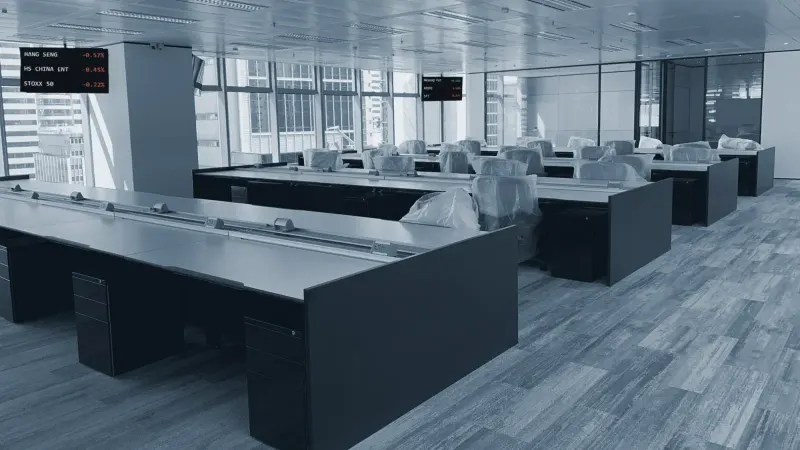
If you run a trading floor or record calls for compliance purposes, plan these separately. Trading turrets, market data services and call recording each have their own suppliers, lead times and testing, so confirm with whoever is responsible that recording works at the new office before the first trading day.
Order the internet connection first
Installation can involve a survey, building approval, cabling through the riser and an engineer visit. Lead times depend on the building and the provider, so order early, ask for confirmed installation and activation dates, and set the move date around them.
Size the service for how you work: a team on Microsoft 365 with frequent Teams calls and large files needs more capacity than one that mostly sends email. Microsoft recommends assessing network connectivity at each office location.
If losing the internet would stop the business, add a backup line from a second fixed provider or a mobile network. Test it: a second line only helps if the firewall actually switches over and the mobile signal works inside the office. Keep the old office connection until the new one has been installed, tested and used in earnest.
Design the network for the new space
Moving the old router and switches across unchanged tends to move the old problems too. Our engineers review whether the firewall, switches and wireless access points suit the new floor plan, and whether it is time to redesign the network and infrastructure rather than copy it.
- Equipment room. A lockable space with suitable power and ventilation, not a cupboard that overheats when the door is shut.
- Cabling. Finish and test it before furniture and ceilings make it hard to reach.
- Wi-Fi. Check coverage where people will actually work, including meeting rooms.
- Separation. Keep guest Wi-Fi apart from business systems, and give printers, cameras and building devices their own network controls where sensible.
- Public IP address. A new line usually means a new address. Tell vendors that restrict access by IP address, and update remote access and VPN settings.
Prepare the equipment
Before anything is unplugged, confirm that the latest backups completed and that you can restore from them. Cloud services protect some data, but not every device or configuration, so ask what would have to be rebuilt if a device were damaged in transit.
Decide early what moves and what is replaced; carrying an unsupported PC or ageing switch into a new office simply relocates the problem. Record each device with its serial number and destination, and label cables and power supplies so they arrive together. Keep backup drives, security keys and small network devices in labelled, tracked containers with a named person responsible for the handover.
Keep the cutover short and quiet
Agree when work stops at the old office and when systems come up at the new one. Avoid unrelated changes during that window so any problem is easy to trace, and decide in advance which systems come back first (usually internet, firewall, sign-in and phones). If people will work from home during the move, check their devices and remote access beforehand.
Test before anyone arrives
Test from the desks and devices your staff will use, not one laptop beside the router. Sign in to applications, make internal and external calls, join a video meeting, print and scan, and check payment systems, remote access, cameras, door access and alarms. For Microsoft 365, run Microsoft's network connectivity test from the new office, and test the backup line by disconnecting the main one. Leave time to fix what you find.
After the move
- Update network diagrams, asset records and monitoring so alerts still reach the right people.
- Tell software vendors, phone and alarm providers, payment processors and insurers about the new address.
- Walk the old office before returning the keys: check cupboards, comms rooms and ceiling spaces, and remove anything showing passwords or network details.
- Securely wipe or destroy drives in equipment that won't be reused. Deleting files or a factory reset is not always enough; the UK's National Cyber Security Centre publishes guidance on sanitising storage media.
- Cancel old internet, phone and monitoring services only once the new office is working, and keep written confirmation.
Finally, plan for the first day. People will need help with Wi-Fi, printers, phones and meeting rooms, and someone on site when staff arrive can fix a small issue once rather than hear about it ten times.
This is the work our New Office IT Setup service covers: one team coordinating the movers and contractors, testing everything before day one, and engineers on site for the first working day.
Frequently asked questions
How early should we involve IT in an office move?
As soon as the new office is a serious option, ideally before you sign. Internet availability, building rules and cabling can affect both the move date and the budget.
Should we cancel the old internet line before moving?
No. Keep it until the new connection is installed and tested. If the move slips or the new line has a fault, the old office remains a fallback.
We work entirely in the cloud. Do we still need an IT move plan?
Yes. Cloud services still depend on the internet line, Wi-Fi, user accounts, phones, printers and correctly configured devices at the new office.
Sources and further reading
- NIST Cybersecurity Framework (CSF) 2.0
- NIST CSF 2.0 Small Business Quick-Start Guide
- Microsoft: Assessing Microsoft 365 network connectivity
- Microsoft 365 network connectivity test
- UK National Cyber Security Centre: Secure sanitisation of storage media
If you are planning a move in Hong Kong or Singapore, bring us in before the dates are fixed. Read about our New Office IT Setup service or talk to our team.